
BeautyCam-AI Photo Editor
Meitu (China) LimitedPhotography
3.93.28K Reviews
- Version
- 13.2.95
- Installs
- 100.00M
- Age Rating
- Everyone
Screenshots
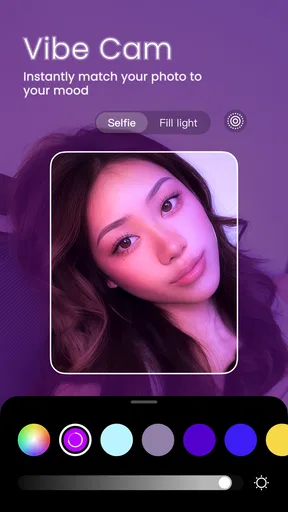
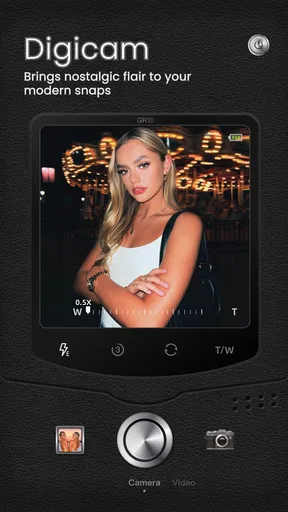
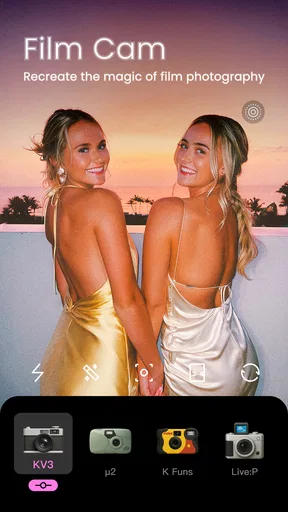
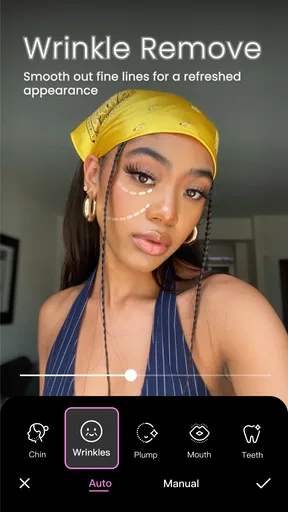
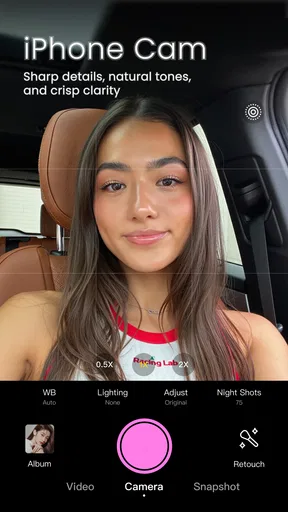
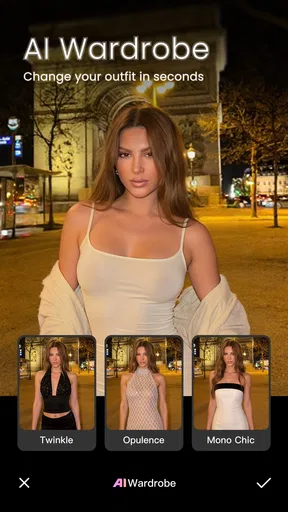
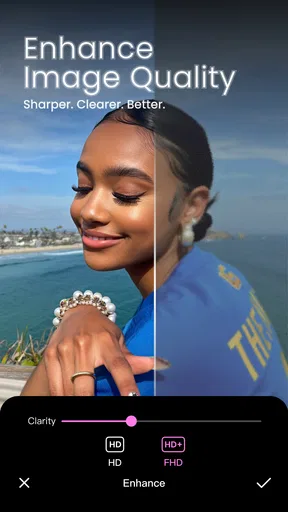
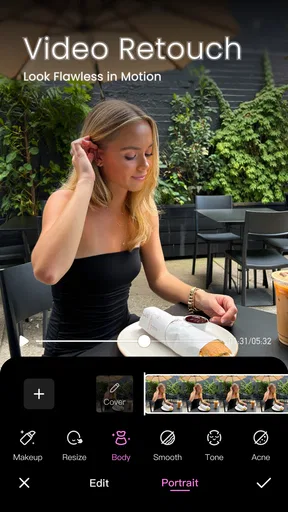
Our Review of BeautyCam-AI Photo Editor
 Analysis by Appyee
When I’m choosing a photo editor, I want to know whether it helps with a real photo I already have, not just whether its effects look appealing in a preview. BeautyCam-AI Photo Editor is aimed squarely at portraits and selfies, with a mix of beautification and playful editing tools. That focus makes it appealing for quick, personal edits, though it also means I would not treat it as a full replacement for a detailed desktop-style editor.
It is a free photography app from Meitu (China) Limited. It has been around since February 25, 2013, and its current version is 13.0.15, evidence of a product that has continued to evolve rather than appearing as a one-off selfie filter. Its average rating is 3.9 from around 473,000 ratings, and it has passed 50 million installs. Those figures suggest broad use, but they do not guarantee that every tool or result will suit your taste; portrait editing is especially personal.
What the current version is best suited to
The app makes the most sense when I want a portrait to feel finished quickly: a selfie for a profile, a flattering photo to send to a friend, or a playful image for a social post. The combination of facial adjustments, filters, effects, and background editing puts several common portrait tasks in one place. Rather than opening separate apps to smooth an image, add a visual touch, and prepare a shareable result, I can explore those ideas in the same editing session.
That convenience is also the main trade-off. The more an editor emphasizes beautification, the easier it is to push a face away from how it looked in the original. I recommend starting with subtle adjustments, then checking the image at normal size before saving. A face can look polished in a close-up editing view but oddly smooth or reshaped when seen as a small profile picture. For a natural result, I would treat the tools as finishing touches, not as a reason to apply every available effect.
First Impressions: A Sleek and User-Friendly Interface
When you first open up BeautyCam-AI Photo Editor, you're greeted with a sleek, modern interface that's super easy to navigate. Honestly, I was a bit skeptical at first, given how many photo editing apps are out there, but this one manages to stand out with its intuitive design. Everything is right where you'd expect it to be, allowing you to dive straight into editing without any fuss.
Features That Stand Out
This app packs a punch when it comes to features. From basic edits to more advanced tools, it’s got it all. Let’s break down some of the standout features that really caught my eye:
- AI Beauty Filters: These are a blast to experiment with! The AI technology here is pretty impressive, offering real-time beautification that smooths skin and enhances facial features in a natural way. It feels like having your own digital makeup artist.
- AR Effects: Want to add some fun to your photos? The augmented reality effects are here to impress. Whether it’s cute animal ears or funky glasses, there’s a wide range to choose from.
- Collage Maker: A simple yet effective tool for those who love to create photo collages. It offers a variety of layouts and templates to make your images pop.
- Background Change: This feature lets you erase and swap backgrounds effortlessly, adding a creative spin to your images with just a few taps.
A more controlled portrait workflow
One useful way to work with the beauty tools is to make one adjustment at a time and pause between changes. If I brighten or smooth a face and then immediately add a strong filter, it becomes harder to tell which edit caused an artificial look. A quick before-and-after check keeps the original face as a reference point. I would also keep a clean copy of an important portrait before experimenting, so I can try a bolder version without losing the more restrained edit I may actually want to share.
Background replacement is another tool where a little restraint pays off. It can help when the room behind a portrait is distracting, but the new setting may look less convincing if the lighting or edges do not match the subject. For a casual post, that can be part of the fun; for a professional headshot or a photo where the setting matters, I would inspect the outline around hair and shoulders before using the result. The tool is most useful when the subject is clearly separated from the background in the original photo.
Performance and Usability
In terms of performance, the app runs smoothly without any noticeable lag, which is a huge plus. It processes images quickly, and the AI does its magic in real-time, making it a breeze to see the effects instantly. The app also supports high-resolution images, so you don’t have to worry about losing quality when you edit your photos.
I found the usability factor to be quite high, especially for beginners. The app offers guided tutorials and tooltips that help new users get the hang of things without feeling overwhelmed. It’s clear that user experience is a priority here.
How it fits into a normal day
Picture taking a quick selfie before meeting friends, then noticing that the light is uneven and the background is busier than you remembered. I would use a mild portrait adjustment first, try a filter only if the color still feels flat, and leave the background alone unless it genuinely distracts. That order matters: a heavy effect cannot rescue poor lighting, and changing several things at once makes it difficult to judge the result. The finished image can then be used as a casual social photo without turning a five-minute task into a long editing session.
For a collage, I would choose photos with a shared purpose—such as a few moments from the same outing—rather than mixing unrelated pictures simply to fill a layout. A consistent subject and similar color mood help the collage feel intentional. This is a practical use for the maker beyond decoration: it can put a small set of related images into one shareable frame when a single shot does not tell the whole story.
Where it sits among photo editors
Compared with a general-purpose photo editor, BeautyCam’s portrait-first approach is the clearest distinction. A more traditional editor is often a better fit when I want careful control over exposure, color, cropping, or a landscape; here, the appeal is having selfie-oriented effects and face-focused changes close at hand. A social platform’s built-in filters may be quicker for a single post, but they usually do not offer the same kind of dedicated portrait workflow. I would keep this app for expressive people photos and reach for a broader editor when the image needs precise, less beauty-focused adjustments.
It is also not automatically the right choice for every face or every style. If you prefer documentary-looking portraits, dislike facial retouching, or need consistent edits across a large batch of images, the app’s playful and beauty-centered toolkit may feel like the wrong starting point. I would skip it as a primary work tool for product photography, detailed color correction, or any job where an exact, repeatable look matters more than speed and experimentation.
Costs, access, and what to consider
The app is free to download, with optional in-app purchases ranging from about 49 cents to about 65 dollars per item. That is a wide span, so I would explore the free editing experience first and only consider paying after identifying a specific feature I genuinely use. The presence of optional purchases does not mean every useful edit requires payment, but it is sensible to check the cost shown in the app before confirming any purchase. BeautyCam is rated for Everyone and requires Android 8.0 or later, which helps Android users judge basic compatibility before installing.
If you are deciding whether it suits you, the practical question is less “Does it have enough effects?” and more “Do I enjoy its portrait look?” Try the same photo with a light touch and a stronger treatment, then compare both versions away from the editing screen. If the gentler one still feels like you, the app can be a handy everyday editor. If even modest changes make the image feel unlike the person in it, a conventional editor with fewer face-focused tools may be a better match.
Community and Sharing
Another cool aspect is the community feature where you can share your creations. It’s like a mini-social network where you can get inspiration from other users, and maybe even show off your own editing skills. Sharing options are also robust, allowing you to easily post your masterpieces on platforms like Instagram, Facebook, and more.
Sharing is most useful when I treat the community as a place to browse styles, not as a standard I have to copy. A dramatic edit that works for one person’s portrait may not suit another photo’s lighting, expression, or purpose. I would borrow an idea—perhaps a color mood or a playful effect—and then dial it back until it fits my own image. That keeps experimentation enjoyable without turning every selfie into the same preset look.
One small but important habit is to review the final image after sharing or saving it, rather than judging only the live preview. A preview is useful for trying options, but the exported photo is what people will actually see. If details around the face or background look distracting at full size, I would return to the original and choose a simpler treatment. That extra check is especially worthwhile for a profile photo that may stay in use longer than a quick story post.
What I would still like to see
The app’s age and current version show a long-running product, but the version number alone cannot tell me which particular tools have changed or how every update affects an existing user’s favorite workflow. For someone already using it, the sensible approach is to review the current interface after an update and make sure familiar controls still produce the result they expect. Newer does not always mean better for a personal editing routine; consistency can matter more than a growing collection of effects.
My remaining reservation is that a broad set of portrait options can invite over-editing, especially when the quick preview makes each change look appealing in isolation. I would value clear control over intensity and an easy way to compare the finished image with its untouched version, because those checks help users keep their own preferred level of realism. The app works best when I stay deliberate rather than treating every available effect as an improvement.
Final Thoughts
All in all, BeautyCam-AI Photo Editor is a solid choice for anyone looking to enhance their photos with ease. With its user-friendly interface and powerful features, it’s definitely worth checking out. Whether you’re a seasoned photographer or just someone who loves snapping selfies, this app offers something for everyone.
So, if you're ready to take your photo editing to the next level, give BeautyCam-AI Photo Editor a try! Trust me, your Instagram feed will thank you.
Verdict
Strengths of BeautyCam-AI Photo Editor
- User-friendly interface, easy navigation.
- Wide variety of filters and effects.
- Real-time beauty adjustments available.
- High-quality output for social media.
- Supports both photo and video editing.
Limitations of BeautyCam-AI Photo Editor
- Contains in-app purchases for premium features.
- Advertisements can be intrusive at times.
- Requires account for full functionality.
- Some features need a stable internet connection.
- Occasional lag with older devices.
Other Releases by Meitu (China) Limited
View All
Meitu
Photography4.5

Wink: Video Enhancer & Editor
Video Players & Editors4.5
Similar Picks in This Category
View All
Google Photos
Google LLC4.4

Gallery
Google LLC4.2

Picsart AI Photo Editor, Video
PicsArt, Inc.3.9

B612 AI Photo&Video Editor
SNOW Corporation4.1

BeautyPlus-Selfie Photo Editor
PIXOCIAL TECHNOLOGY (SINGAPORE) PTE. LTD.4.5

Remini - AI Photo Enhancer
Bending Spoons4.1
Frequently Asked Questions
What features does BeautyCam-AI Photo Editor offer?
BeautyCam-AI Photo Editor is packed with features designed to enhance your photos effortlessly. It includes AI-powered filters, beauty enhancements, makeup tools, and a wide range of stickers and backgrounds. The app also offers real-time editing, allowing you to see changes instantly as you capture images. This makes it versatile for both casual and professional use.
Is BeautyCam-AI Photo Editor free to use?
BeautyCam-AI Photo Editor offers a free version with a variety of basic features. However, for access to premium filters and tools, users can opt for in-app purchases or a subscription. This allows users to enjoy an ad-free experience and unlock advanced editing capabilities that enhance the app's functionality.
Does BeautyCam-AI Photo Editor require an internet connection?
While some features of BeautyCam-AI Photo Editor can be used offline, an internet connection is necessary for downloading additional filters and updates. Additionally, if you want to share your edited photos directly to social media platforms, an active connection is required to facilitate these uploads.
Is BeautyCam-AI Photo Editor safe for my device?
BeautyCam-AI Photo Editor is generally safe for most Android and iOS devices. However, it’s always a good practice to download the app from official app stores like Google Play Store or Apple App Store to avoid any security issues. Regular updates from these platforms ensure the app remains secure and functional.
Can BeautyCam-AI Photo Editor handle high-resolution images?
Yes, BeautyCam-AI Photo Editor is capable of handling high-resolution images. The app is optimized to process and edit images without significantly reducing their quality. This feature is particularly beneficial for users who want to print their photos or use them in professional settings where clarity is crucial.
